
ACS Remote Support
Use the button below to download the remote support tool. After it opens, read the 9 digit ID number shown on your screen to Tyler so he can connect.
Download Remote Support Tool
If your browser asks what to do, choose Open, Keep, or Run, then open the file.
1
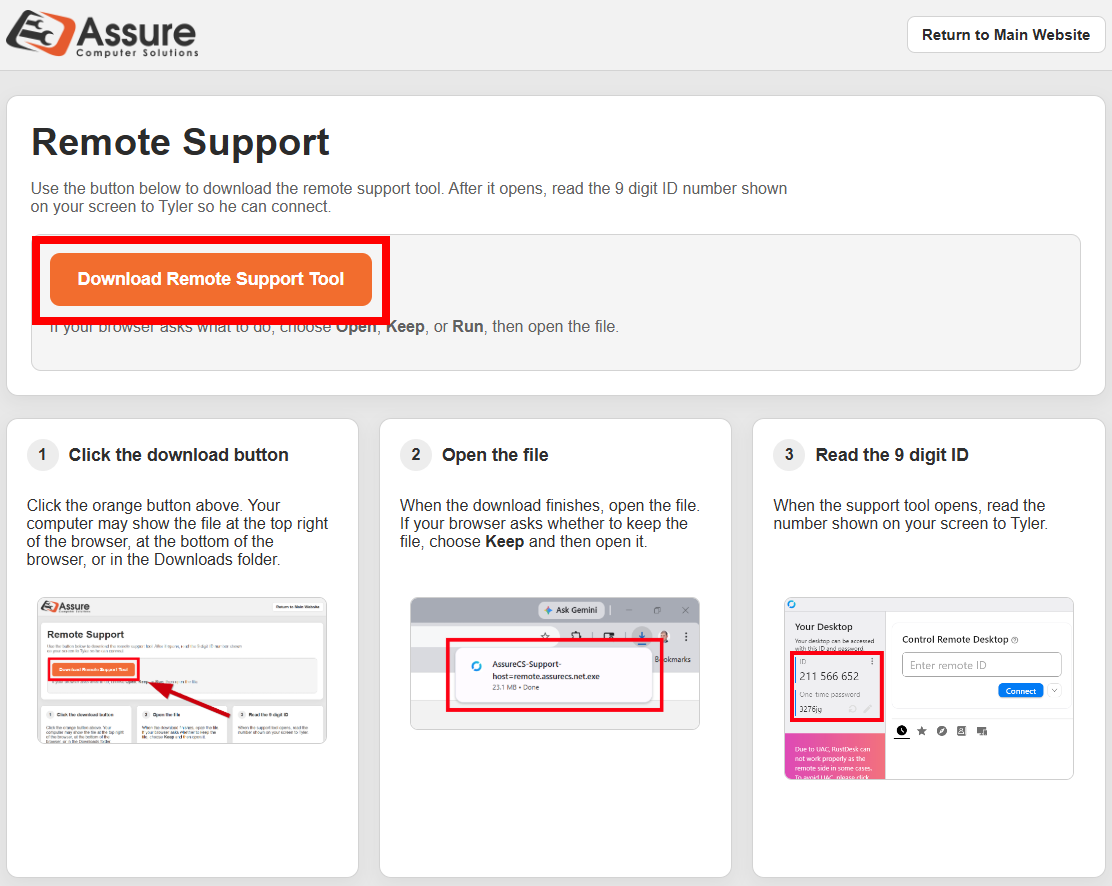
Click the download button
Click the orange button above. Your computer may show the file at the top right of the browser, at the bottom of the browser, or in the Downloads folder.
2
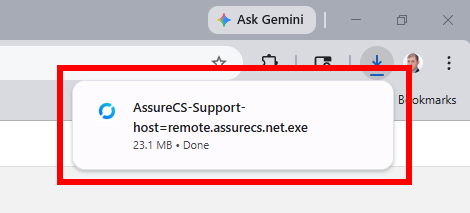
Open the file
When the download finishes, open the file. If your browser asks whether to keep the file, choose Keep and then open it.
3
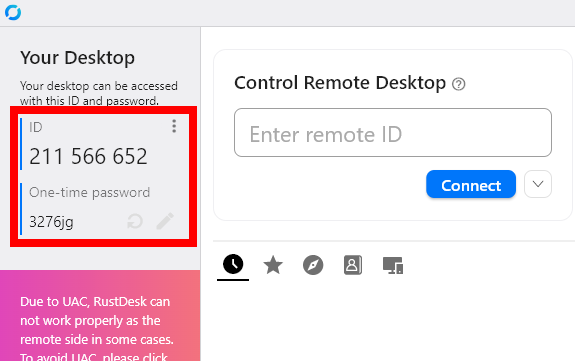
Read the 9 digit ID
When the support tool opens, read the number shown on your screen to Tyler.
Tip: Keep this page open until the support session is finished.